Spare parts catalog software
Turn 3D models and PDF drawings into an interactive spare parts catalog.
Explode the assembly, click a part, find it in the list — and follow it to your webshop. Xplodix publishes your catalogs to your own parts portal and runs on your own server.
Bring a drawing or a parts list of your own — we will show it live.
The product
From CAD and drawings to a catalog your customers use
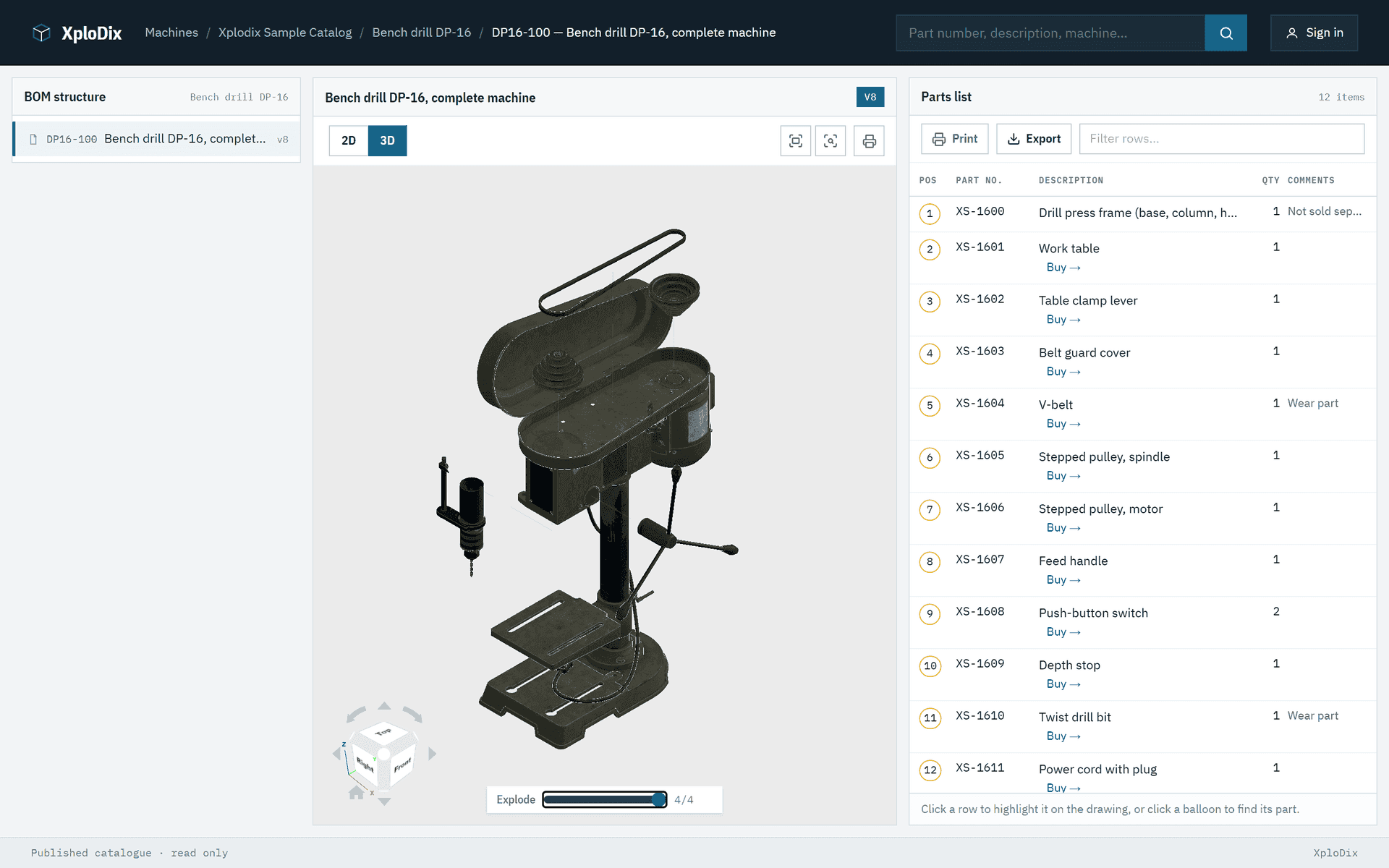
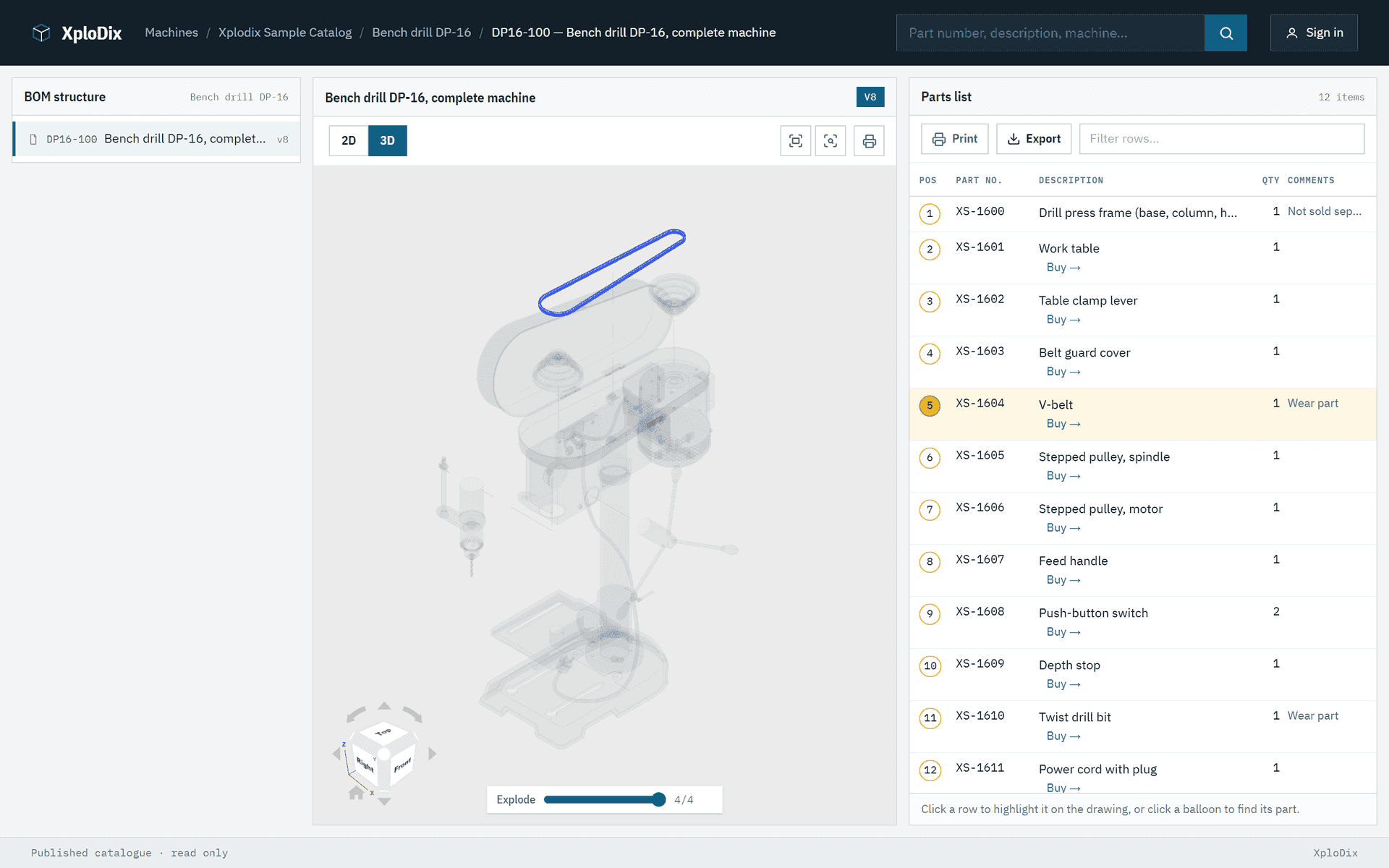
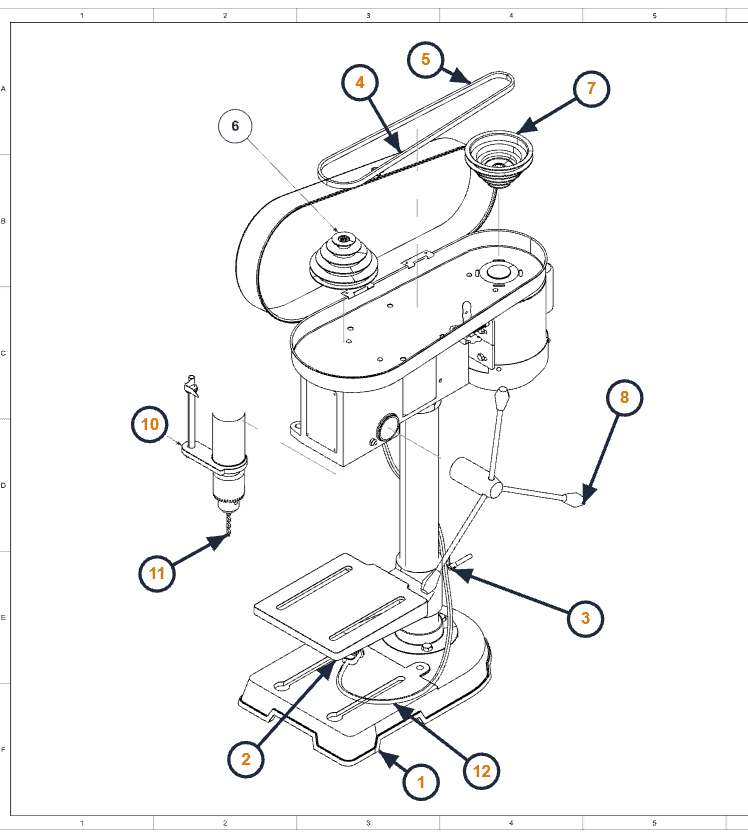
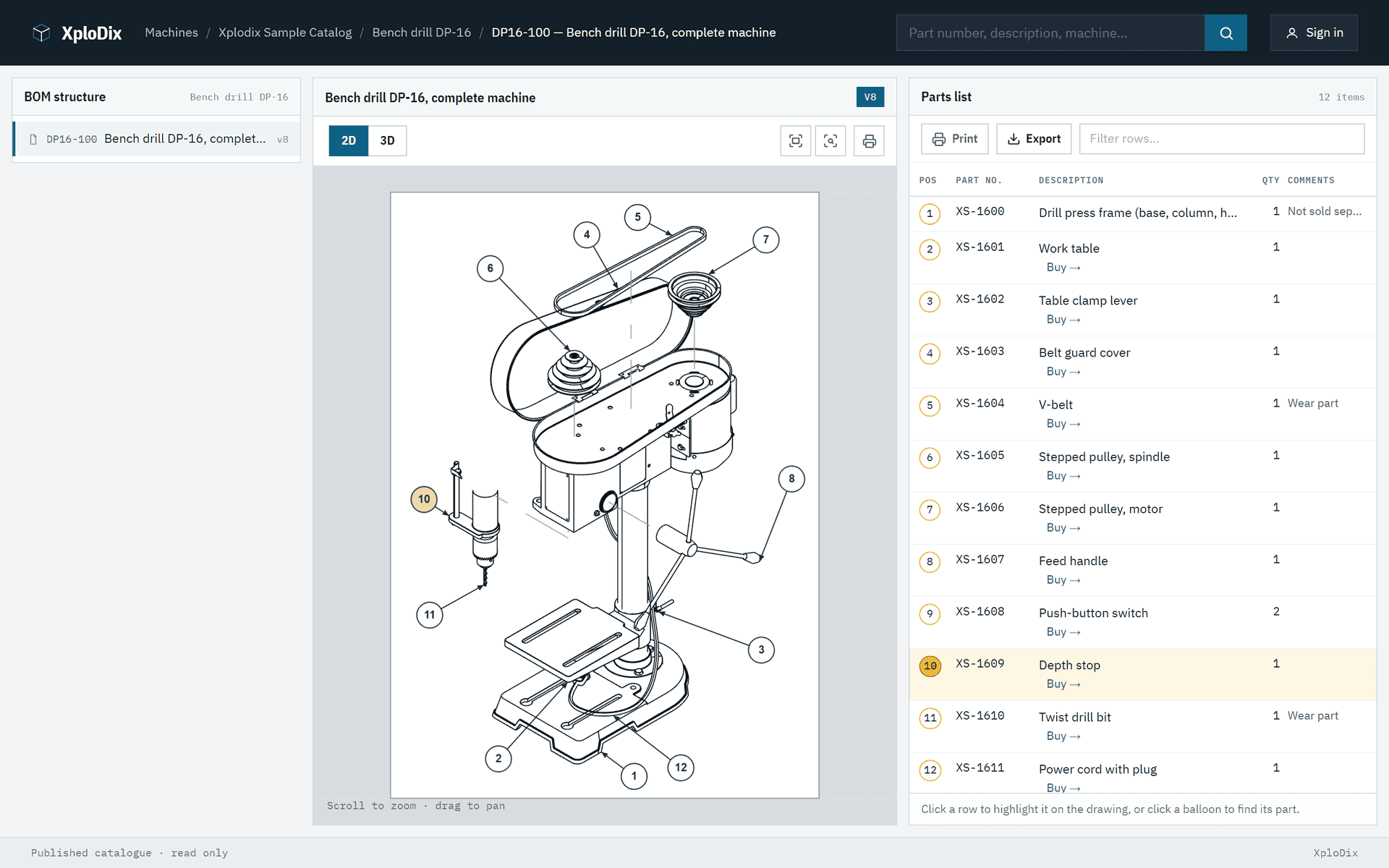
Four screens from the Xplodix sample catalog — real screenshots, nothing mocked up. The rest we show you live.
3D parts catalogs
Your 3D model becomes the catalog.
Load the model and the parts list, set up the explode steps and publish. Customers turn the assembly, open it step by step and click a part to find its row — with nothing to install.
- Explode steps and section views
- Part and parts-list row highlight each other
- Line drawings generated from the same model
Drawings, images and video
No 3D model? Use the drawings, images and video you have.
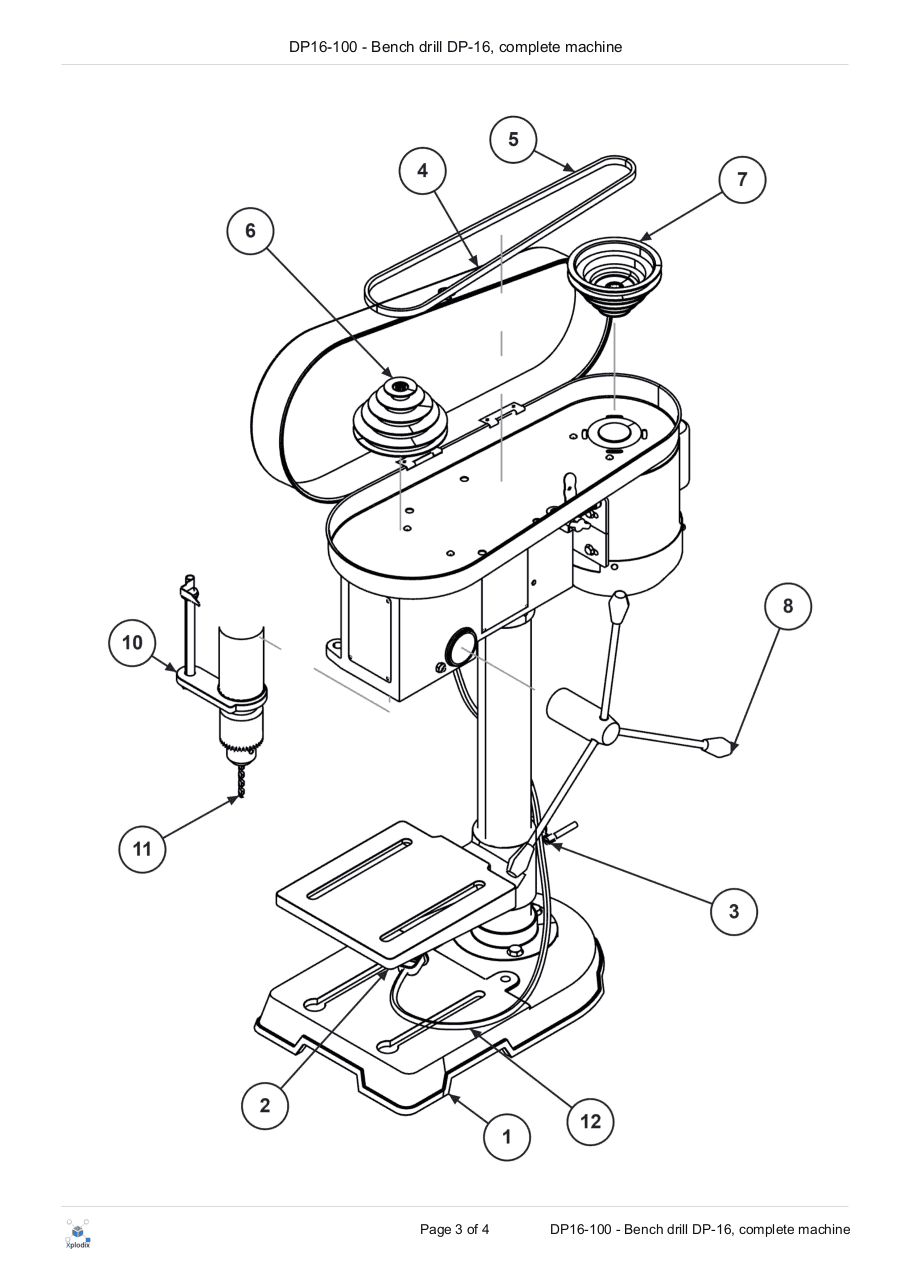
Import the PDF drawings you already have as editable line work, with their callout numbers detected. Or place an image and point balloons at the parts, and add a short video that shows how it comes apart. Every view links to the same parts list — so older machines join the same catalog.
- PDF and Adobe Illustrator drawings, callouts detected automatically
- Images with balloons pointing to the parts
- Video in the 2D view, for example a disassembly
- Parts lists from PDF tables, Excel or your ERP system
Parts portal
Your own parts portal — linked to your webshop.
Publish to a parts portal in your own brand. A balloon leads to its row, a row lights up its balloon, and every part can link straight to its product page in your webshop. Building your own front end? A read-only REST API serves the same published data.
- Search, filter and CSV export
- Open to everyone or behind a sign-in
- Read-only REST API and a storefront template
{
  "bomNumber": "DP16-100",
  "version": 8,
  "rows": [
    { "posNo": "2", "partNo": "XS-1601",
      "description": "Work table", "qty": "1",
      "webshopUrl": "https://shop.example.com/parts/xs-1601" },
    …
  ]
}
Print, insight, hosting
On screen, on paper, on your server.
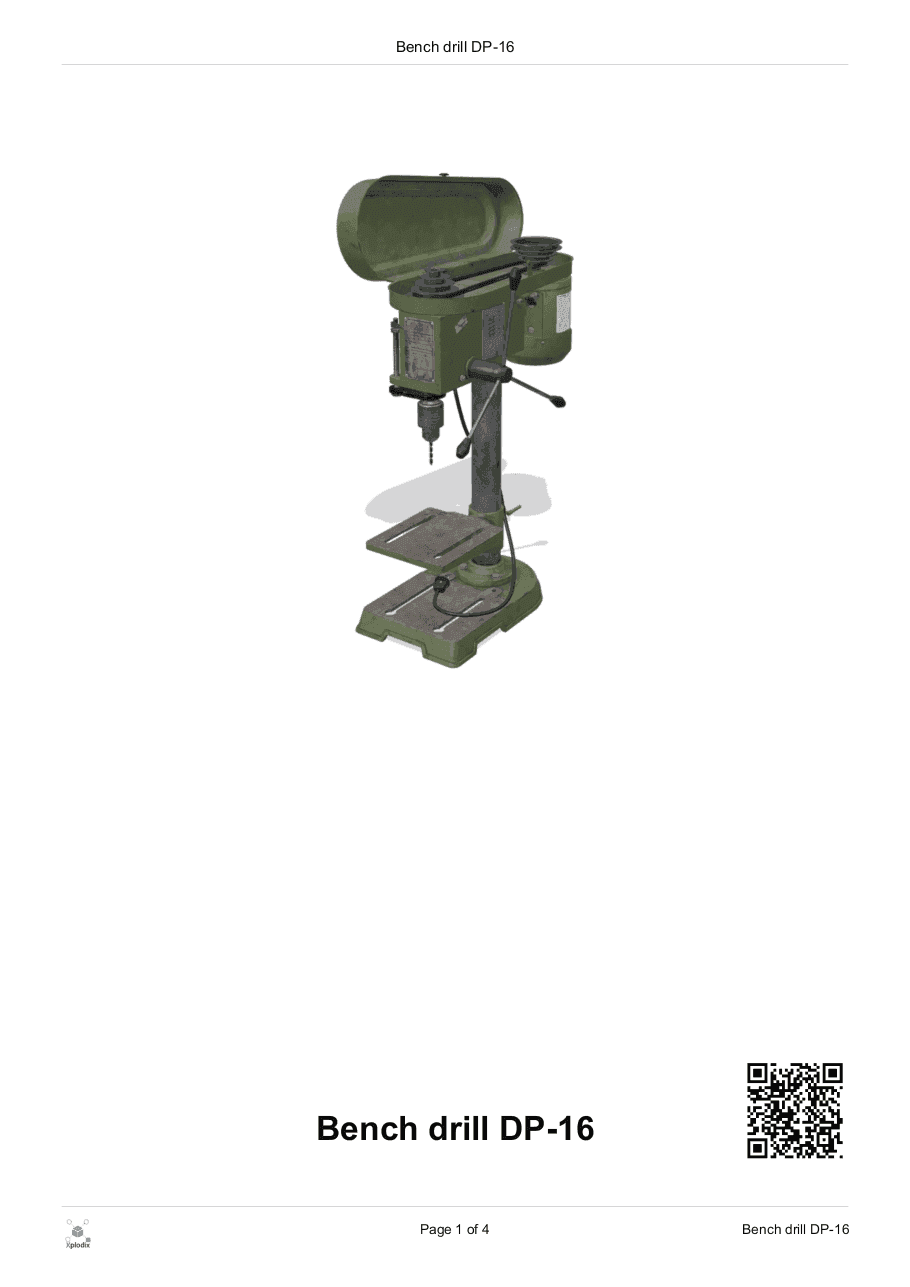
Print a complete PDF catalog — cover, contents, drawings and parts lists — with a QR code that leads back to the live catalog. See which catalogs your customers open. And run it all on your own server, with signed updates you can roll back and scheduled backups.
- Print-ready PDF catalogs with QR codes
- Usage analytics for the built-in portal
- Runs on your own server — cloud coming soon
How it works
From CAD and drawings to a live catalog in four steps
Import
Bring in 3D models (glTF/GLB), the PDF drawings, images and video you already have, and parts lists from Excel, PDF tables or your ERP system.
Author
Set up explode steps and sections, generate line drawings from 3D, and place callouts that follow the parts list.
Publish
Publish a revision to your parts portal. Customers always see the current one; drafts stay private.
Distribute
Customers browse, search and print — and each part can link to its page in your webshop.
Also included
The everyday parts of running a catalog
Less to show in a screenshot, just as much part of the product.
Revisions
Publish when a catalog is ready; customers see the current revision.
Search
Find parts by number or description across every catalog.
Parts-list import
From Excel or CSV, from tables in PDF drawings, or from your ERP system.
CSV export
Customers export any parts list in one click.
Sign-in or open
Keep catalogs behind a sign-in, or open them to everyone.
Storefront template
Start your own branded portal from the template we ship.
Updates and backups
Signed updates with rollback, and backups on a schedule.
CloudComing soon
A hosted version of Xplodix is coming soon.
FAQ
Questions we hear first
Anything else, ask us in the demo — bring the drawing or parts list you have in mind.
Do we need 3D CAD models?
No. Xplodix works with 3D models, with your existing PDF drawings, with images and video, or with any mix. 3D adds explode steps and section views; PDF drawings come in as editable line work with their callout numbers detected; on an image you point balloons at the parts yourself.
Which 3D formats can we use?
Xplodix reads 3D models as glTF/GLB files. In the demo we look at the export route from the CAD system you use.
Can customers order parts?
Each part can link to its product page in your webshop, where the order is placed. Xplodix does not run a shop of its own.
Does it connect to our ERP system?
Parts lists can be imported from your ERP system, from Excel or CSV files, and from tables in PDF drawings. Tell us which system you use and we will show you what that looks like.
Where does Xplodix run?
On your own Windows server. An installer and setup wizard get you started, updates are signed and can be rolled back, and backups run on a schedule. A cloud version is coming soon.
What happens in a demo?
A 30-minute online session. We show the sample catalog — or your own drawing or parts list if you send one — and answer your questions. No commitment.
See your own catalog in 30 minutes.
Send us a drawing or a parts list, and we will show you what it becomes in Xplodix — live, with time for your questions.
Get in touch
Let's talk about your catalog needs
Whether you're looking for a demo, have technical questions, or want to discuss deployment options — we're here to help.